
Question, request, or booking
Automation and AI help for busy small business owners
More than an AI receptionist. An AI worker for the tasks that slow you down.
iAnswer helps small businesses capture calls, meetings, notes, job updates, invoices, reminders, and customer follow-up, then prepares the next step. Start with one task, keep control, and let the routine work move faster.
Automate repeat tasks
Customers move faster
Spam calls filtered
Owner stays in control
Small business work
Turned into action
Work comes in
Customer call
Meeting note
Job complete
Promise and date captured
Ready for billing review
 AI worker
Understands the details and prepares the next step.
Next steps prepared
Task created
Invoice prepared
Customer notified
Owner sees what needs review
Ready for owner review
Message prepared or sent
More than call answering
Workflows
AI worker
Records
Invoices
Follow-up
Automation, not another app
Give the repeat work to your iAnswer worker.
You do not have to replace how your business works. Pick one recurring task, show us how it is handled today, and iAnswer can capture the details, prepare the next step, update the right record, and flag anything that still needs your judgment.
iAnswer AI worker
Tasks moving automatically
Working
Job notes, customer call, invoice, or reminder...
Work captured
Calls, notes, and job updates
The important details become summaries, records, reminders, and next steps.
Next step prepared
Invoice
Completed work ready for invoice review
Ready for review- Capture workCalls, meetings, and paper details.
- Prepare next stepsTurn completed work into billing drafts, tasks, or messages.
- Update recordsKeep customer history current.
- Create remindersMake sure follow-up is not missed.
- Ask for approvalBring the owner in only when needed.
Ways iAnswer can help
Start with the work you already know is a problem.
AI receptionist is one capability. iAnswer is built to help with the broader work around the business: capturing details, updating records, preparing tasks, and moving follow-up forward.
Meeting notes and call summaries
Keep a clear record of what was discussed, what was promised, dates, decisions, and next steps.
AI receptionist and spam filtering
Answer real customers, reduce spam interruptions, collect details, book time, and turn conversations into follow-up.
Customer records kept current
Update the customer file with notes, job status, activity, and follow-up without extra end-of-day typing.
Invoices and payment checks
Prepare billing drafts, match payments, flag mismatches, and show what needs review before it goes out.
Tasks and reminders
Create the reminders that keep jobs, promises, approvals, and customer follow-up from being forgotten.
Follow-up messages
Send or prepare customer updates when a job is scheduled, changed, completed, delayed, or ready for review.
Common tasks we can help with
Use iAnswer where the day usually falls apart.
Most owners do not need another complicated system. They need help turning calls, notes, job updates, and promises into clean next steps before the work piles up at night.
Paperwork after jobs
Turn completed work, customer approval, and field notes into invoice drafts, records, and reminders for review.
- Job marked complete
- Invoice draft prepared
- Owner reviews exceptions
Calls and customer messages
Answer common questions, collect the right details, schedule time, and make sure follow-up is not missed.
- Missed-call text back
- Appointment request captured
- Customer gets a clear next step
Meeting notes and promises
Keep a useful record of what was discussed, what changed, who promised what, and what needs to happen next.
- Meeting summary created
- Promises and dates recorded
- Change-order follow-up flagged
Customer records and follow-up
Update the customer file, create reminders, prepare messages, and show what still needs owner attention.
- Customer history updated
- Reminder created
- Follow-up message prepared
Low-risk start
Start small. Prove it before expanding.
Pick one task that takes too much time. We map how you handle it today, help with the repeat steps, and keep you in control before anything changes.
Choose one painful task
Paperwork after jobs, missed calls, meeting notes, invoice prep, or customer follow-up.
Show us how it works today
Paper, text messages, calendars, spreadsheets, accounting tools, or job software are all fine starting points.
Let iAnswer handle the repeat steps
Draft the invoice, update the customer record, create the reminder, or flag what needs your review.
30-day guided trial
Start free trial
Start with one task and enough real activity to prove it helps before you expand.
AI that works
AI that answers the customer. Then handles the next step.
iAnswer is built around the real front desk jobs that interrupt your team all day: calls, questions, bookings, follow-ups, and handoffs.
iAnswer front deskWorking across voice, SMS, and web chat
Booking request
Voice call
JS
Incoming conversation
Can I book a deep tissue massage tomorrow afternoon?
✓
iAnswer checks
Availability and booking rules
Live
I found two openings tomorrow afternoon. I can reserve 2:30 PM or 4:00 PM now.
AP
System checked
Appointment platform
Live schedule lookup
Details collected
Service
Preferred time
Staff rules
Service, time, and confirmation text prepared
ReadyOne practical helper
Capture what happened. Make the next step clear.
iAnswer helps turn customer conversations, meeting notes, job updates, and follow-up into clear records and action items your team can trust.
01
Clear records
Understands what was discussed and what comes next.
iAnswer turns calls, meetings, texts, and chats into summaries, customer notes, and next steps your team can act on.
Call example
Ava, iAnswer assistant
About 30 sec
Friendly female AI voice
Next steps
Turns customer requests into reminders and updates.
Owner control
Knows what can be handled and what needs review.
Calls and message support
Calls and messages can be handled too.
If missed calls or customer messages are part of the problem, iAnswer can answer, filter likely spam callers, collect details, book time, and make sure someone follows up.
Explore task automation →Customer callsiAnswer picks up immediately
Intent understoodQuestions and details are handled naturally
Next step capturedBook, answer, remind, or follow up
After-hours coverage
Spam caller filtering
Multiple languages
Returning customer recognition
Call summaries and analytics
Multilingual support
Answer customers in the language they use.
iAnswer can support multilingual conversations across voice, SMS, and web chat, so more customers can ask questions, request appointments, and get clear next steps.
More languages available by request
Plan a multilingual flow →
iAnswer
Voice, SMS, and web chat
Your iANSWER workspace
See every conversation Stay in control.
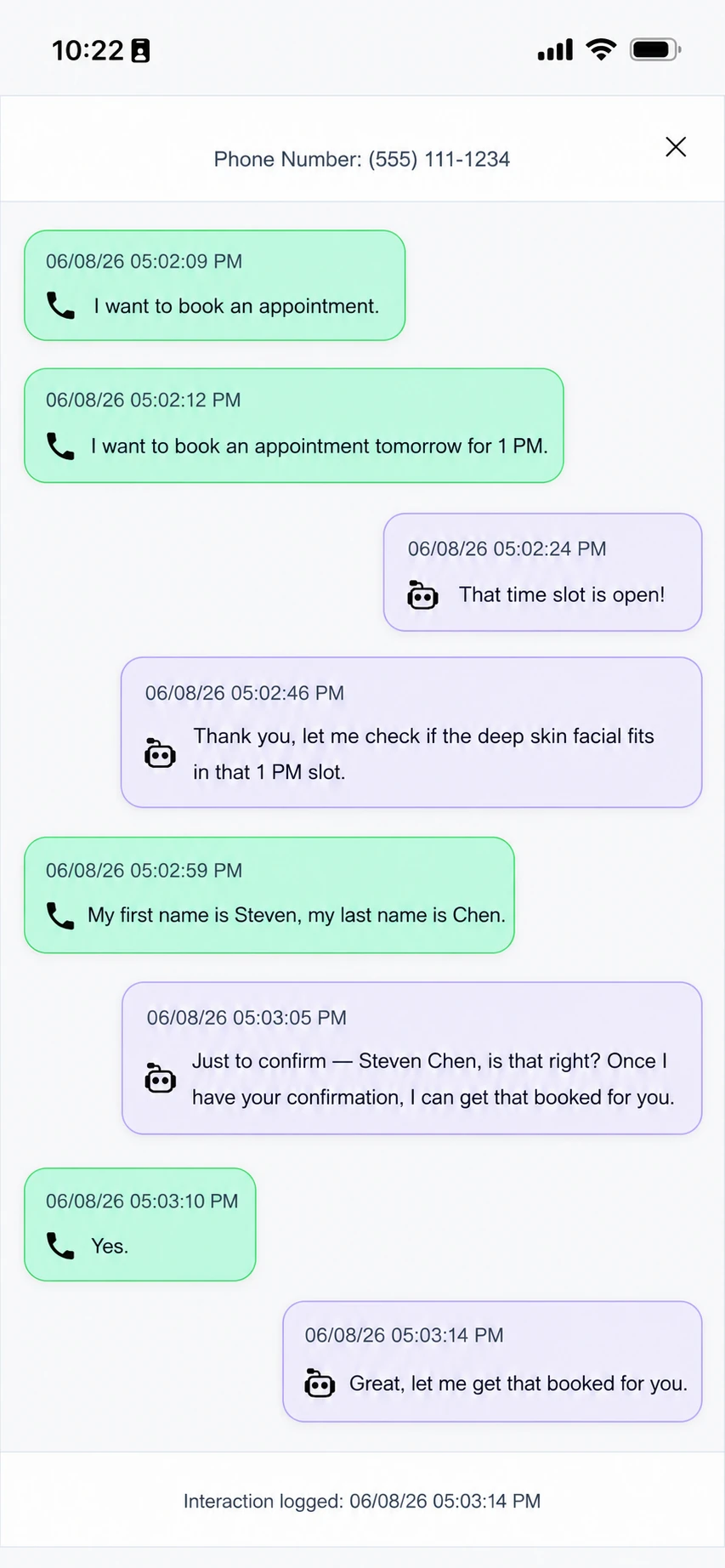
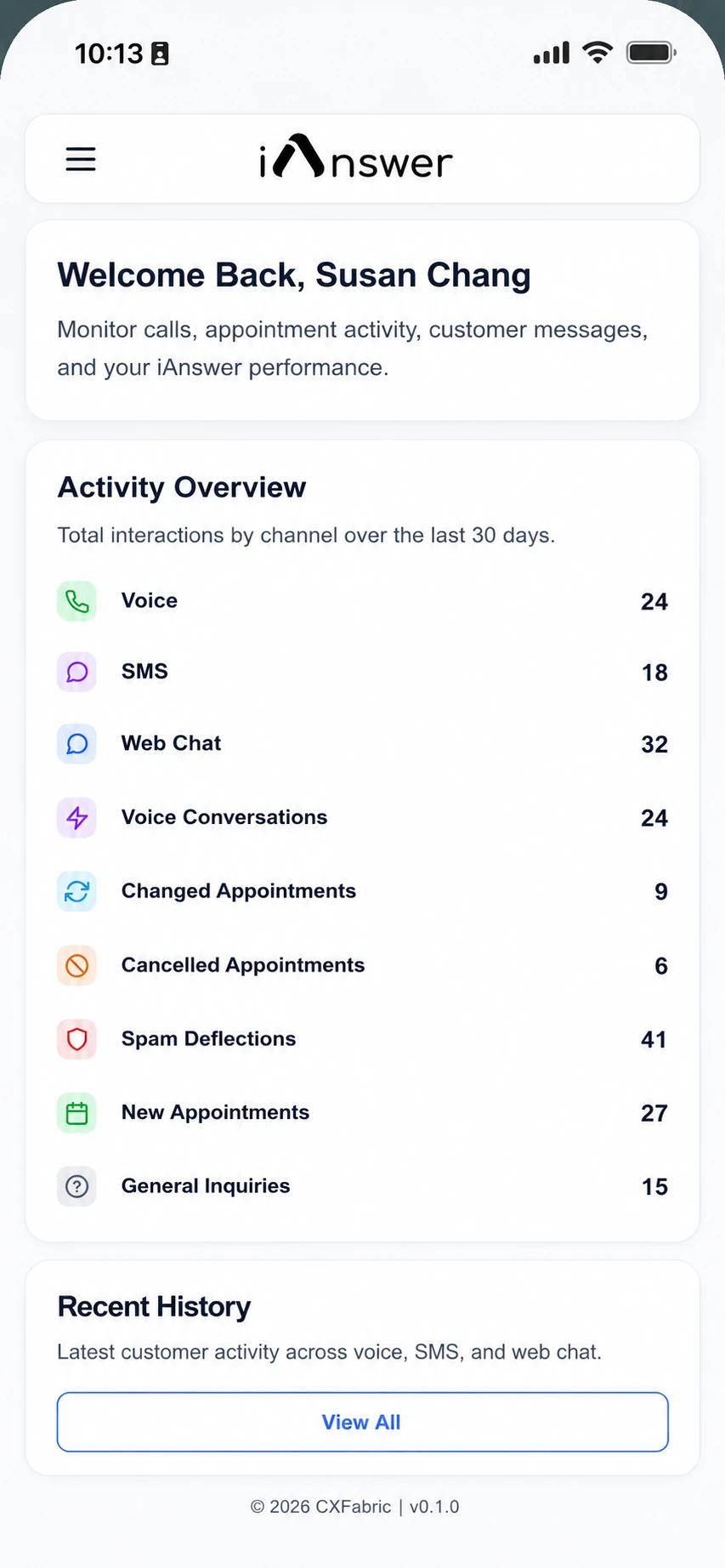
Review activity, search customer history, and see how iAnswer turns conversations into CRM updates, tasks, handoffs, and follow-up from one simple workspace.
✓
Conversation history Search by customer, channel, meeting, call, or action.
✓
Task visibility See what was created, assigned, completed, or escalated.
✓
Automation control Know exactly which rules handled each next step.
+24%
More follow-up completedfrom calls, meetings, and messages
iAnswer
Notes to next steps
Calendar
 HubSpot
Job tools
 OpenTable
 Square
 QuickBooks
Works with what you use
No big software change required to get started.
iAnswer can work with your current calendar, phone setup, accounting software, job tools, spreadsheets, or paper process. We start where the work already happens.
See supported tools →“
We stopped relying on memory and scattered notes. Calls, meetings, and follow-up now become clear next steps for the team.
O
OwnerLocal service business
24/7calls and messages covered
1simple place to review follow-up
100sof reminders and updates handled
See iANSWER in action
Show us the task you want off your plate.
Tell us what you are doing manually today. We will map a simple first step that helps without forcing a risky change to your business.
✓
Built around your current processNo generic software tour.
✓
Low-risk first stepStart with one task before expanding.
✓
Owner review includedYou stay in control when judgment is needed.